
 EN
EN
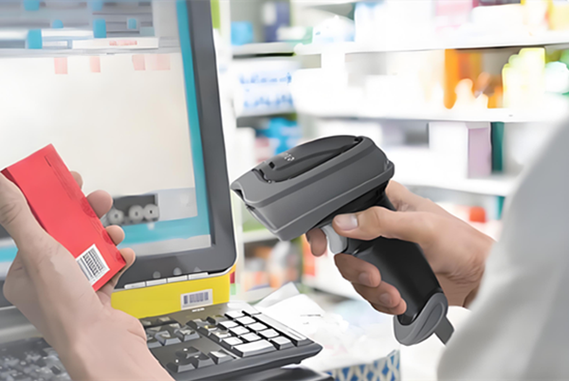
Environmental Durability: Key Industrial Barcode Scanner Requirements for Warehouse Conditions
Warehouse environments push barcode scanning equipment to its physical limits. Operators cannot afford scanner failures during high-volume operations, where breakdowns cause costly bottlenecks and re-scanning backlogs. Industrial-grade scanners depart sharply from consumer or retail hardware by incorporating protective features that ensure functionality despite constant jostling, accidental drops, temperature extremes, and particulate contaminants. Understanding these design benchmarks is non-negotiable for procurement teams.
IP Ratings, Drop Resistance, and Extreme Temperature Tolerance for Cold Storage and High-Rack Environments
Warehouse environments expose scanning hardware to extremes—whether it's dust clouds in high-bay storage or constant vibration on conveyor sorters. Three protective specifications form the core durability benchmark:
-
Ingress Protection (IP) ratings specify dust/water resistance:
Protection Level Environmental Tolerance IP65 Dust-tight; withstand low-pressure water jets IP67 Dust-tight; survives immersion up to 1 meter IP68 Dust-tight; rated for prolonged immersion -
Drop Endurance: Models deployed in picking areas must withstand repeated 3–6 foot drops onto concrete. Scanners failing drop tests increase repair costs by an average of $740 per incident—and double that cost when workflow downtime is factored in (Ponemon Institute 2023).
-
Thermal Specs: Cold storage facilities at -20°C demand scanners operational below freezing—off-the-shelf units typically stall at 0°C. In steel-frame warehouses, summer heat can push ambient temperatures above 45°C, risking overheating failure. Scanning hardware must reliably operate across this full 65°C range. Frozen warehouse scanner failures contribute to nearly 18% of cold-chain product loss incidents (Warehousing Education Research Council 2024).
Debunking the IP65 Myth: Why Freezer Warehouses (-20°C) Demand IP67 or Higher Industrial Barcode Scanner Certification
Choosing IP65-rated scanners for freezer environments invites reliability failures. While IP65 handles incidental splashes, freezer warehouses create unique hazards:
- Condensation cycles occur when scanners transition from -20°C environments to warmer dock areas. Lower-rated seals permit moisture ingress during thermal cycling, fogging optics and corroding circuits.
- Seal brittleness: Standard silicon seals harden at sub-zero temperatures, compromising IP65’s water barrier integrity. IP67/IP68 devices use cryogenic-resistant materials that remain flexible below -30°C.
- Ice damage: Melted frost re-freezing inside housings physically destroys internal components. Scanners lacking IP67+ certification suffered a 43% failure rate during colder operational studies (Material Handling Institute 2023).
Operationally, IP67 devices reduce freezer scanning errors by 71% compared to IP65 units—validating the certification’s non-negotiable role in sustaining uptime below freezing.
Workflow-Optimized Barcode Scanner Types: Matching Hardware to Picking, Packing, and Receiving Tasks
Handheld vs. Fixed-Mount vs. Mobile Computer Scanners: Use Cases Across Warehouse Operational Zones
Selecting the right barcode scanner depends on the specific tasks within each warehouse zone. Handheld scanners offer the mobility needed for receiving, picking, and packing areas where workers move between locations. They are the most common choice for dynamic environments because operators can scan items on shelves, pallets, or packing stations without repositioning goods. Fixed-mount scanners excel in automated zones—conveyor belts, sortation systems, and high-speed packing lines—where items pass a stationary reader. These devices scan hundreds of packages per hour without manual intervention, reducing labor costs and errors. Mobile computers with integrated scanners combine a rugged handheld computer, barcode reader, and wireless connectivity in one unit. They are ideal for tasks that require real-time access to inventory systems, such as cycle counting, putaway, and order verification in high-rack areas. Each barcode scanner type supports different operational zones, and matching hardware to the workflow improves throughput and accuracy across the warehouse.
Ergonomic Design and Scanning Speed: Critical Factors for High-Volume, Repetitive Barcode Scanner Use
In high-repetition scanning tasks—like order picking or package sorting—ergonomics and speed directly affect operator fatigue and productivity. A lightweight, well-balanced barcode scanner with a contoured grip reduces wrist strain during thousands of daily scans. Recessed or programmable trigger buttons allow natural hand positions, while wearable or finger-mounted options free hands for lifting and moving items. Scanning speed matters equally: fast decode engines and motion tolerance let workers scan barcodes without pausing or precisely aligning the device, reducing dwell time per scan. When operators use a barcode scanner that feels comfortable and reads instantly, they maintain a steady rhythm—cutting error rates and boosting daily throughput in high-volume operations.
Seamless WMS Integration and Connectivity: Non-Negotiable Barcode Scanner Capabilities
1D/2D Decoding, Bluetooth 5.0+, Wi-Fi 6, and Offline Mode: Ensuring Uptime in Mission-Critical Warehouse Operations
A modern barcode scanner must decode both 1D and 2D symbologies without hesitation. Damaged or poorly printed labels demand advanced imaging engines that read them on the first pass. For connectivity, Bluetooth 5.0+ provides a stable, low-latency link to handheld terminals or mobile computers, while Wi-Fi 6 handles the high-density device environment typical in large warehouses. When network coverage drops, an offline mode stores scanned data locally and syncs automatically once the connection returns. This feature prevents work stoppages and maintains real-time inventory visibility. Combined, these capabilities keep your barcode scanner operational through peak shifts, cold-storage cycles, and unexpected network interruptions.
API Compatibility, Firmware Update Support, and Latency Benchmarks for Real-Time Warehouse Management System Sync
Integration with a Warehouse Management System (WMS) depends on robust API support. A barcode scanner that offers open, well-documented APIs reduces development time and ensures smooth data flow into existing software. Regular firmware updates extend the device’s lifespan and patch security vulnerabilities without hardware replacement. For latency, look for benchmarks under 50 milliseconds from scan to WMS update—anything slower can create bottlenecks during high-volume receiving or order packing. Pre-deployment testing with your WMS vendor confirms compatibility and reveals any sync delays before rollout. These non-negotiable capabilities transform a simple barcode scanner into a reliable, real-time asset for mission-critical operations.
FAQs
What does IP67 certification mean for barcode scanners?
IP67 certification means that the scanner is dust-tight and can survive immersion in water up to 1 meter for a limited time. This ensures its durability in harsh environments like freezer warehouses.
Why are cold storage scanners likely to fail without thermal specifications?
Cold storage scanners without proper thermal specifications can stall in freezing temperatures and contribute to product loss, as most basic units stop functioning below 0°C.
What are the benefits of fixed-mount barcode scanners?
Fixed-mount barcode scanners are ideal for automated systems, such as conveyor belts, because they automatically scan hundreds of packages per hour. They reduce labor costs and minimize manual errors.
How does offline mode improve warehouse operations?
Offline mode allows scanners to store scanned data locally when the network is down. Once the connection resumes, the data syncs automatically, ensuring uninterrupted workflow and real-time inventory visibility.
Why is ergonomic design important for barcode scanners?
Ergonomic design minimizes wrist strain and operator fatigue during repetitive scanning tasks. Comfortable scanners also improve scanning speed and workplace productivity.