
 EN
EN
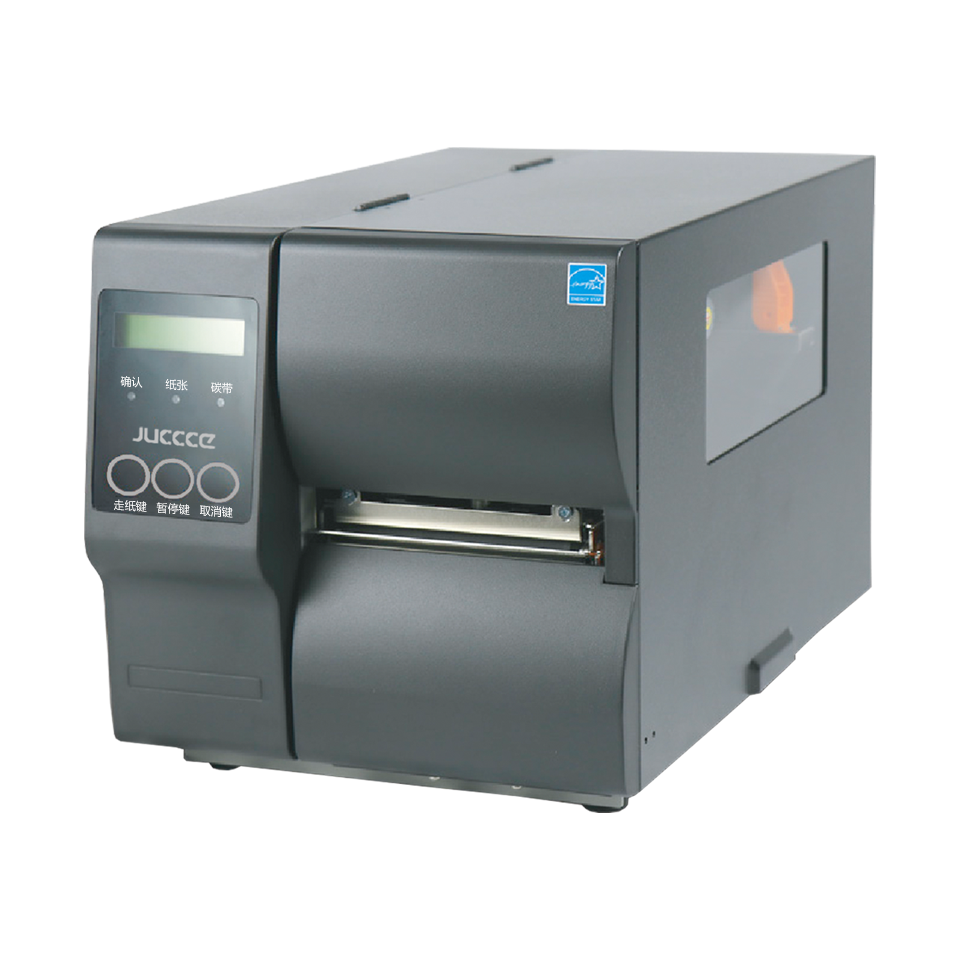
Bảo trì đầu in: Yếu tố cốt lõi đảm bảo tuổi thọ máy in nhãn
Tại sao suy giảm đầu in là nguyên nhân hàng đầu gây hỏng hóc sớm máy in nhãn
Sự suy giảm đầu in chiếm hơn 50% các trường hợp hỏng hóc sớm của máy in nhãn công nghiệp. Việc tiếp xúc trực tiếp với ứng suất nhiệt và sự tích tụ chất gây nhiễm bẩn khiến đầu in trở thành bộ phận dễ tổn thương nhất. Trong quá trình vận hành, các phần tử gia nhiệt hoạt động theo chu kỳ nhanh—đạt tới 300°F (149°C)—để truyền hình ảnh lên nhãn. Dư lượng keo dán, bụi bẩn và mảnh vụn băng mực tích tụ trên các bề mặt tinh tế này, tạo ra các điểm nóng làm gián đoạn tính đồng đều về nhiệt. Hệ quả là mã vạch bị nhạt màu, các đường in bị đứt quãng và văn bản không thể đọc được. Nếu không được xử lý kịp thời, tình trạng này dẫn đến hiện tượng cháy hỏng vĩnh viễn các phần tử gia nhiệt. Trong điều kiện vận hành khối lượng cao điển hình, đầu in nhiệt bắt đầu cho thấy dấu hiệu hao mòn sau 500.000 inch tuyến tính—và hoàn toàn ngừng hoạt động sau 750.000 inch nếu không được bảo trì.
Quy trình làm sạch từng bước bằng cồn isopropyl và tăm bông không xơ
Thực hiện việc làm sạch này hàng tháng trong khoảng thời gian ngừng hoạt động đã lên lịch:
- Tắt nguồn và ngắt kết nối máy in khỏi mọi nguồn điện.
- Truy cập đầu in bằng cách mở ngăn chứa phương tiện và tháo cartridge ruy-băng ra.
- Làm ẩm các tăm bông không xơ bằng cồn isopropyl nồng độ 90% trở lên—tuyệt đối không phun trực tiếp chất lỏng lên các linh kiện.
- Lau nhẹ theo một hướng duy nhất , tránh lau đi lau lại vì có nguy cơ làm hỏng các bộ phận gia nhiệt.
- Thường xuyên xoay tăm bông để ngăn ngừa việc tái lắng đọng bụi bẩn.
- Laundry kỹ lưỡng bằng tăm bông sạch và khô trước khi lắp ráp lại.
Trong môi trường nhiều bụi, tăng tần suất vệ sinh lên hàng tuần. Luôn chạy bản in thử sau khi vệ sinh để kiểm tra độ rõ nét của hình ảnh, mật độ mã vạch và độ căn chỉnh nhãn.
Khi nào nên vệ sinh so với thay thế: Các mốc tuổi thọ tiêu chuẩn của nhà sản xuất và các dấu hiệu cảnh báo
Các thông số kỹ thuật của Nhà sản xuất Thiết bị Gốc (OEM) thường đánh giá đầu in cho một triệu inch tuyến tính trong điều kiện lý tưởng—nhưng các yếu tố môi trường thực tế có thể làm giảm tuổi thọ hiệu dụng lên đến 40%.
- Mờ nhạt hoặc vệt dọc xuất hiện ngắt quãng
- Mật độ mã vạch không đồng đều, ảnh hưởng đến độ tin cậy khi quét
- Dư lượng nhìn thấy được trong quá trình kiểm tra bằng mắt
Thay thế ngay lập tức nếu bạn phát hiện:
- Các đường trắng kéo dài sau ba lần làm sạch liên tiếp
- Thông báo lỗi về sự cố bộ phận nhiệt
- Hư hỏng vật lý như trầy xước, vết cháy cacbon hoặc các linh kiện bị chảy
- Chất lượng in suy giảm sau hơn 750.000 inch tuyến tính
Bảo trì chủ động có thể kéo dài tuổi thọ chức năng lên đến 200% so với chỉ thay thế phản ứng.
Làm sạch con lăn, cảm biến và các thành phần bên trong
Cách bụi bẩn và dư lượng keo làm suy giảm độ chính xác của cảm biến cũng như độ tin cậy của đường dẫn giấy
Bụi bẩn và dư lượng keo âm thầm làm giảm hiệu suất trên nhiều hệ thống phụ. Các cảm biến quang học bị nhiễm bẩn sẽ đọc sai khoảng cách giữa các nhãn hoặc tín hiệu cuối cuộn do đường truyền phát hiện bị che khuất—gây ra các lỗi lệch vị trí giả và lãng phí vật liệu in không cần thiết. Đồng thời, dư lượng keo dính trên các con lăn kẹp làm giảm lực ma sát lên đến 40%, làm tăng hiện tượng trượt và tần suất kẹt giấy. Những gián đoạn cơ học này ảnh hưởng đến độ chính xác của đường dẫn giấy, dẫn đến việc dán nhãn sai vị trí và phải thực hiện lại tốn kém—ước tính mỗi cơ sở công nghiệp mất khoảng 740.000 đô la Mỹ mỗi năm (Viện Ponemon, 2023). Việc làm sạch phòng ngừa giúp ngăn chặn chuỗi tác động tiêu cực này trước khi nó ảnh hưởng đến độ toàn vẹn của đầu ra.
Ma trận tần suất làm sạch: Lau bề mặt hàng ngày so với làm sạch sâu hàng tuần theo từng loại máy in nhãn
Khoảng thời gian bảo trì phải phù hợp với cả loại máy in và môi trường vận hành:
| Môi trường máy in | Quy trình lau chùi hàng ngày | Yêu cầu làm sạch sâu hàng tuần |
|---|---|---|
| Bàn làm việc (Văn phòng) | Khăn vi sợi khô lau các con lăn tiếp xúc | Lau sạch tất cả cảm biến bằng tăm bông ngâm cồn isopropyl |
| Công nghiệp (Kho bãi) | Khí nén kết hợp lau bằng dung môi hòa tan keo | Tháo rời hoàn toàn các mô-đun đường dẫn giấy |
| Bảo quản lạnh (Bán lẻ) | Khăn lau khử ẩm để xử lý ngưng tụ | Kiểm tra cơ chế chống đóng băng chuyên dụng |
Các mô hình công nghiệp tích tụ bụi bẩn nhanh hơn 68% so với các thiết bị để bàn, thường yêu cầu nhiều lần can thiệp mỗi ngày. Các ứng dụng sử dụng nhãn bóng hoặc nhãn có keo dính mạnh đòi hỏi phải lau trục lăn giữa ca làm việc nhằm ngăn ngừa sự tích tụ chất cặn đã polymer hóa. Luôn tuân thủ hướng dẫn của nhà sản xuất — các chất gây ô nhiễm môi trường là yếu tố dự báo mạnh nhất về mức độ khẩn cấp của bảo trì.
Tối ưu hóa môi trường và vận hành hàng ngày nhằm đảm bảo độ tin cậy của máy in nhãn
Bộ ba bụi – nhiệt – độ ẩm: Tác động thực tế đến MTBF (Thời gian trung bình giữa các lần hỏng)
Điều kiện môi trường là một trong những yếu tố quyết định nhất đối với tuổi thọ của máy in nhãn. Các thiết bị hoạt động ngoài phạm vi tối ưu từ 15–30°C (59–86°F) có tỷ lệ hỏng hóc cao hơn tới 40% trong vòng hai năm. Sự tương tác giữa bụi, nhiệt và độ ẩm làm gia tăng tốc độ hao mòn thông qua ba cơ chế riêng biệt:
- Bụi gây tắc nghẽn cảm biến và làm tăng ma sát trên trục lăn, dẫn đến lệch vị trí vật liệu in
- Độ ẩm cao gây ăn mòn thiết bị điện tử và làm tăng khả năng truyền chất kết dính lên các linh kiện
- Nhiệt độ quá cao làm suy giảm đầu in nhiệt và làm biến dạng bánh răng nhựa
Tổng hợp lại, những yếu tố này làm giảm Thời gian trung bình giữa các lần hỏng hóc (MTBF) từ 25–60%, theo các nghiên cứu về độ tin cậy thiết bị công nghiệp. Ví dụ:
| Hệ số | Phạm vi an toàn | Ngưỡng Quan Trọng | Giảm MTBF |
|---|---|---|---|
| Nhiệt độ | 15–30°C | >35°C liên tục | 32% (trung bình) |
| Độ ẩm | 30–60% RH | >70% RH | 41% |
| Các hạt lơ lửng trong không khí | <50 μg/m³ | >100 μg/m³ | 27% |
Các biện pháp giảm thiểu bao gồm đặt máy in xa khỏi khu vực bốc dỡ hàng và cửa sổ, sử dụng thảm chống tĩnh điện ở những khu vực có độ ẩm thấp, và duy trì độ ẩm tương đối ở mức 40–60%. Các máy in được triển khai trong môi trường có kiểm soát nhiệt độ cho thấy tuổi thọ dịch vụ dài hơn 3,1 lần so với các máy in hoạt động trong điều kiện biến đổi.
Vật liệu in, ruy băng và phần mềm điều khiển: Những yếu tố quan trọng nhưng thường bị bỏ qua trong bảo trì máy in nhãn
Cách nhãn không đúng thông số kỹ thuật và băng mực của bên thứ ba làm tăng tốc độ hao mòn đầu in
Các vật tư tiêu hao không thể hoán đổi cho nhau—và việc giả định ngược lại là một trong những nguyên nhân hàng đầu gây mài mòn đầu in một cách có thể tránh được. Nhãn không đạt tiêu chuẩn thường có thành phần keo dính không đồng nhất, để lại cặn bám dai dẳng trên các con lăn và đầu in, buộc các bộ phận phải bù trừ bằng tải nhiệt cao hơn và ứng suất cơ học lớn hơn. Các băng mực của bên thứ ba có thể chứa chất độn mài mòn hoặc hỗn hợp sáp/nhựa không đều, dần dần làm xước các yếu tố nhiệt theo thời gian—làm suy giảm chất lượng in chỉ trong vài tháng thay vì vài năm. Vật liệu in và băng mực được nhà sản xuất phê duyệt đảm bảo quá trình truyền nhiệt ổn định, giảm thiểu ma sát và duy trì độ căn chỉnh chính xác—từ đó trực tiếp kéo dài tuổi thọ đầu in.
Cập nhật phần mềm và trình điều khiển như một biện pháp bảo trì phòng ngừa cho việc hiệu chuẩn nhiệt và logic cảm biến.
Các bản cập nhật firmware và trình điều khiển là những thành phần thiết yếu—không phải tùy chọn—của bảo trì phòng ngừa. Các máy in nhiệt hiện đại phụ thuộc vào phần mềm nhúng để hiệu chỉnh động đầu ra nhiệt dựa trên loại vật liệu in, độ dày vật liệu và điều kiện môi trường xung quanh. Firmware lỗi thời khiến hiện tượng trôi nhiệt không được hiệu chỉnh, dẫn đến việc bù trừ quá mức làm hao mòn các bộ phận gia nhiệt sớm hơn tuổi thọ thiết kế. Các bản cập nhật cũng khắc phục các lỗi trong logic cảm biến gây ra tình trạng kẹt giấy giả, phát hiện khoảng cách sai và việc đưa nhãn lệch hướng. Đồng bộ hóa trình điều khiển đảm bảo giao tiếp ổn định giữa hệ thống chủ và máy in, ngăn ngừa mất dữ liệu và sai sót về thời điểm thực thi lệnh. Việc bảo trì kỹ thuật số này tối ưu hóa việc sử dụng các thành phần vật lý và duy trì độ tin cậy ở cấp độ hệ thống.
Các câu hỏi thường gặp về bảo trì máy in nhãn
Tôi nên vệ sinh đầu in bao lâu một lần?
Nên vệ sinh đầu in hàng tháng; tuy nhiên, trong môi trường nhiều bụi, bạn nên cân nhắc thực hiện vệ sinh hàng tuần để đảm bảo hiệu suất tối ưu và kéo dài tuổi thọ thiết bị.
Nguyên nhân chính gây hỏng đầu in sớm là gì?
Ứng suất nhiệt, sự tích tụ chất gây nhiễm bẩn như dư lượng keo dán và thiếu bảo trì là những nguyên nhân chính dẫn đến suy giảm đầu in sớm.
Dây ruy-băng của bên thứ ba có an toàn cho máy in của tôi không?
Việc sử dụng dây ruy-băng của bên thứ ba có thể làm tăng tốc độ hao mòn đầu in do các chất độn có khả năng mài mòn tiềm tàng. Vì vậy, nên sử dụng dây ruy-băng được nhà sản xuất phê chuẩn để đảm bảo hiệu suất ổn định và tuổi thọ dài lâu.
Các điều kiện môi trường có thể ảnh hưởng đến máy in nhãn của tôi như thế nào?
Các yếu tố môi trường như bụi, nhiệt độ cao và độ ẩm có thể tác động đáng kể đến hiệu suất máy in, làm tăng tỷ lệ hỏng hóc và giảm Thời gian trung bình giữa hai lần hỏng (MTBF).
Tại sao việc cập nhật firmware lại quan trọng đối với công tác bảo trì máy in?
Các bản cập nhật firmware đảm bảo hiệu chỉnh nhiệt độ tối ưu và hiệu suất logic cảm biến, từ đó ngăn ngừa tình trạng hao mòn đầu in sớm và nâng cao độ tin cậy tổng thể của hệ thống.
Mục lục
- Bảo trì đầu in: Yếu tố cốt lõi đảm bảo tuổi thọ máy in nhãn
- Làm sạch con lăn, cảm biến và các thành phần bên trong
- Tối ưu hóa môi trường và vận hành hàng ngày nhằm đảm bảo độ tin cậy của máy in nhãn
- Vật liệu in, ruy băng và phần mềm điều khiển: Những yếu tố quan trọng nhưng thường bị bỏ qua trong bảo trì máy in nhãn
-
Các câu hỏi thường gặp về bảo trì máy in nhãn
- Tôi nên vệ sinh đầu in bao lâu một lần?
- Nguyên nhân chính gây hỏng đầu in sớm là gì?
- Dây ruy-băng của bên thứ ba có an toàn cho máy in của tôi không?
- Các điều kiện môi trường có thể ảnh hưởng đến máy in nhãn của tôi như thế nào?
- Tại sao việc cập nhật firmware lại quan trọng đối với công tác bảo trì máy in?