
 EN
EN
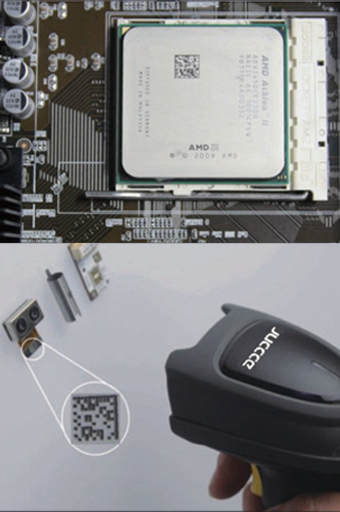
Штрихкодтық сканерлердің түрлері мен символикалық қолдауын түсіну
Лазерлік, CCD және кескіндік сканерлер: қалайша ұстап алу технологиясы өнімділікке әсер етеді?
Лазерлік сканерлер түзу сызықтық штрихкодтарды әдетте 30 фут (9,1 м) қашықтықтан да оқи алатындай жинақталған сәуледен пайдаланады. Бұл оларды азық-түлік дүкендерінің кассаларында немесе қоймалардың өткелдерінде — яғни заттар болжанатын бағытта қозғалатын орындарда — сызықтық кодтарды оқу үшін бюджеттік нұсқа ретінде ұсынады. Алайда, зақымданған этикеткалар, солған баспа немесе артқы фонға қатысты контрасты төмен болған кез келген объект үшін бұл технологияның кемшілігі бар. Зарядтық байланысты құрылғы (CCD) сканерлері басқаша жұмыс істейді: олар мақсатты LED жарығымен жарықтандырады. Бұл сканерлер әлсіз жарықта, әсіресе 10 дюйм (25 см) қашықтыққа дейін ұстаған кезде жақсы нәтиже береді. Жабық қораптарды сорттау үшін өте қолайлы, бірақ лазерлік технология сияқты CCD сканерлері QR-кодтар немесе Data Matrix форматтары сияқты екі өлшемді кодтарды оқуға қиналады. Кескіндік сканерлер бұл проблемалардың көпшілігін шешеді, себебі олар кодты бөлік-бөлік емес, бүкіл штрихкодты сурет ретінде түсіреді. Сондықтан олар иілген беттерде, сығылған этикеткаларда, тығыз орналасқан ақпаратта немесе қалай қойылса да нашар басылған екі өлшемді кодтарды сенімді түрде декодтауға қабілетті. Аймақтық кескіндік сканерлер қиын жағдайларда оқу қателерін әлдеқайда азайтады, бірақ ашық айту керек — олардың алғашқы құны әлдеқайда жоғары. Темірқазықтың ұзақ мерзімді артықшылықтары мен келешектегі қажеттіліктерге дайындығы сіздің есептеуіңізге кірсе, оларды қарастыруға әлі де құнды.
1D пен 2D штрихкодтардың сәйкестігі: Штрихкодты оқығышыңыздың болашаққа дайындығын қамтамасыз ету
Стандарттық 1D сканерлер UPC-A немесе Code 128 сияқты негізгі сызықтық штрихкодтарды өңдейді, бірақ бүгінгі күні көптеген компаниялар 2D белгілеулеріне ауысуда. Оларға жеткізілетін тауарларды іздеу үшін PDF417, медициналық құралдарды бақылау үшін Data Matrix және афишалардан бастап өнімнің қаптамасына дейін кеңінен таралған QR-кодтар кіреді. Бұл ауысу өте жылдам жүріп жатыр — әртүрлі салаларда 2D технологиясын енгізу қарқыны жылына шамамен 23% құрайды. Ескі 1D оқығыштарды пайдаланып қалатын компаниялар тез арада уақыты өткен технологияға түсіп қалу қаупінде. Мысалы, денсаулық сақтау саласында FDA-ның UDI ережелері имплантацияланатын құрылғылар үшін Data Matrix сәйкестігін міндеттейді. Ал жеткізілу мен логистика саласында контейнерлердің манифесттерінде қазір жиі 2D кодтардың бірінің үстіне бірі қойылған түрі кездеседі, ал бұл кодтарды дәстүрлі сканерлер оқи алмайды. Көптеген ұйымдар екі жүйені бір уақытта қолдануға мәжбүр болады, бұл қосымша шығындарға, жұмыс процестерінің күрделенуіне және ескі мен жаңа технологиялар арасындағы айырмашылықты жою үшін қосымша қызметкерлерді оқыту қажеттілігіне әкеледі. Жаңарту кезінде сканерлер GS1 сертификаттау талаптарына сай келуін қамтамасыз етіңіз, сонда компаниялар уақыт өте келе өзінің сканерлеу мүмкіндіктерін дамытқан кезде барлық негізгі 1D және 2D форматтарды кедергісіз өңдей алады.
Қоршаған ортаның талаптарын және пайдалану интенсивтілігін бағалау
Нақты әлемдегі жағдайларда сканерлеу ауқымы, бұрыштық төзімділік және төмен жарықтағы төзімділік
Сканерлердің жұмыс істеу сапасы олардың қолданылатын орнына тікелей тәуелді. Мысалы, қоймаға келсек, мұндай орындарда әдетте бір бөлмеден қашықтықта орналасқан үлкен паллеттерді анықтау үшін 6–15 фут (1,8–4,6 м) аралығында сканерлеу қабілетін қамтамасыз ететін сканерлер қажет. Ал қарама-қарсы жағдай — дүкендердегі кассалық аппараттар: мұнда сатып алушылар тауарларды тасымалдау лентасына қалай қойса да, әртүрлі бұрыштарда жұмыс істей алатын сканерлер қажет. Жарықтау да маңызды — бұл қызықты болса да, шындық. Өткен жылғы Материалдарды өңдеу институтының деректеріне сәйкес, логистикалық орталықтардың шамамен үштен бірі жеткіліксіз жарықтау шарттарымен күреседі. Бұл дегеніміз — сапалы сканерлер құрғақ қоймаларда немесе күн сәулесі әрқашан көмек бермейтін сыртқы жүктеу аймақтарында көрініс 100 люкс төмен болған кезде де сенімді жұмыс істеуі керек. Жақсы сканердің қандай белгілері бар екенін қарастырғанда, бірнеше маңызды факторлар басымдыққа ие болады:
- Диапазон сақтау орнының өткелі үшін ең аз 8 фут
- Ең ірі ауытқу бұрышы эргономикалық, жоғары жылдамдықты сканерлеуге қолайлы болу үшін ≥45°
- Төмен жарықтықта жұмыс істеу 100 люкс төменгі деңгейінде сенімді декодтау
Бекітілуі, пайдалану циклы мен көлемдік қабілеті: штрихкодты сканерлеушіні дүкендерге, сақтау орындарына немесе денсаулық сақтау жұмыстарына сәйкестендіру
Тұрақтылық талаптары мен осы құрылғылардың қолданылу жиілігі әртүрлі салаларда әртүрлі болады. Мысалы, ретейл сканерлері күнделікті шамамен 500–800 рет сканерлеу жасайды және оларға қандай да бір соққылар әсер етуі мүмкін, бірақ елеулі емес (шамамен IK04 қорғаныс деңгейі). Ал қойма жабдықтары басқаша әңгіме айтады. Олар қатал жағдайларға ұшырайтындықтан, тозаң мен суға қарсы көп дәрежелі қорғанысқа (IP65 рейтингі) ие болуы керек және күнделікті 10 мыңнан астам сканерлеу жасауы мүмкін. Ал ауруханалар мен клиникаларда жағдай тағы да басқаша. Мұнда негізгі назар тазарту химиялық заттары мен регулярлық дезинфекцияға төзімді материалдарға аударылады. Көптеген медициналық қызметкерлер пациенттердің тұлғалық деректерін тексергенде немесе дәрі-дәрмектерді бергенде сағатына шамамен 200–400 рет сканерлеу жасауға ғана қажеттілік туады. Техникалық сипаттамаларды дұрыс таңдамау кейінірек проблемаларға әкеледі. 2023 жылғы жөндеу есептері бойынша, ранний аппараттық ақаулардың төрттен бір бөлігі қолданылатын ортаға сай келмейтін жабдықтарды пайдаланудан туындайды. Жұмыс орнындағы нақты жағдайларға сәйкес келетін дәрежедегі беріктікті таңдау операциялардың үзіліссіз жүруін қамтамасыз етеді және күтпеген тоқтап қалу немесе жұмыс ағымының баяулауын болдырмауға көмектеседі.
| Қоршаған орта | Бекітілген тұрақтылық стандарты | Тәулігіне сканерлеулер саны | Оңтүстік талаптар |
|---|---|---|---|
| Дүкенде төлем алу | IK04 | 500–800 | Эргономикалық ұнату |
| ҚОЙМА | IP65 | 10k+ | Түсуге төзімділік (1,5 м) |
| Денсаулық сақтау | IP54 | 200–400 | Химиялық заттарға төзімді материалдар |
Интеграция дайындығы мен соңғы қолданушының тәжірибесін растау
API/SDK қолдауы және POS, WMS және EHR жүйелерімен үздіксіз ыңғайлылық
Штрихкодтық сканерлерді енгізген кезде олар қазіргі таңда қолданыстағы кез келген жүйелермен сәйкес келуі тиіс. Бұл дүкендердегі әдеттегі төлем терминалдарынан бастап, күрделі қоймаларды бақылау бағдарламаларына дейін және тіпті ауруханалардағы медициналық жазбалар жүйелеріне дейін барлық жүйелерді қамтиды. Жақсы құжаттама ұсынатын және өзінің қолданбалы бағдарламалау интерфейстерін (API) редевелі түрде жаңартып отыратын тәжірибелі тұтынушыларды іздеңіз. Көптеген компаниялар сонымен қатар орнату кезінде уақытты қатты үнемдейтін танымал платформалар үшін дайын қосылуларды ұсынады. Жүйені іске қосудың алдында барлық компоненттердің бірлесіп жұмыс істеуін сынақтан өткізу болашақта көптеген қиындықтарды болдырмауға көмектеседі. Өткен жылы Ponemon Institute зерттеуіне сәйкес, әртүрлі жүйелер бір-бірімен үйлесімді жұмыс істемеген жағдайда бизнеске орташа есеппен жылына шамамен жеті жүз қырық мың доллар залал келтіріледі. Енгізудің соңғы нұсқасын бекіткенге дейін барлық компоненттердің толық жұмыс процесі бойынша дұрыс жұмыс істеуін тексеру мақсатқа сай.
| Сынақ бағыты | Тексеру мақсаты |
|---|---|
| Деректерді түрлендіру | Штрихкодты жүйеге сәйкестендірудің дәлдігі |
| Сессияны басқару | Пиктік жүктеме кезеңдеріндегі тұрақтылық |
| Қателерді өңдеу | Қате сканерлеуден ұтымды қалпына келу |
Эргономикалық дизайн, қолайлы кері байланыс опциялары және барлық күн бойы қолдануға ыңғайлы пішіні
Сканердің қолдануы қаншалықты оңай болса, оның жұмыс істеу дәлдігі, операциялардың жылдамдығы және қызметкерлердің тез шаршауы соншалықты әсер етеді. Қоймадағы қызметкерлер әдетте 1,5 метр биіктіктен түсу кезінде зақымданбайтын, сонымен қатар түрткіні басқан кезде қанағаттанарлық «щелчок» дыбысын шығаратын пистолеттің ұстағышына ұқсас моделдерді қолдануды ұнатады. Ал медициналық қызметкерлерге басқаша құрылғылар қажет — саусақтарда сағаттар бойы ұстап тұруға болатындай жеңіл (200 граммнан аспайтын), тазарту химиялық заттарына төзімді және микробтардың жиналуына мүмкіндік бермейтін беттері бар құрылғылар. Сканерлеу дұрыс өткенін хабарлайтын кішкентай «пип» дыбыстары мен жасыл индикаторлар, әсіресе адамдар тез қозғалыста болғанда немесе экранға қарау мүмкін болмайтын таза бөлмелерде жұмыс істеген кезде, өте маңызды рөл атқарады. Қолда сезілетін вибрациялық сигнал сканерлеу сәтті өткенін фондағы көп шу болған кезде де қызметкерлерге хабарлайды. Тұрақты жұмыс кезінде құрылғылардың қауіпсіздігін қамтамасыз ету үшін қолға кигізілетін байламдар қолданылады, ал реттелетін түрткілер қозғалыста немесе тыныш тұрған кезде оң қолдың да, сол қолдың да ыңғайлы жұмыс істеуін қамтамасыз етеді. Өткен жылы жарияланған зерттеу нәтижелері бойынша, төрт сағаттық сменалар бойынша сынақтан өткен құрылғыларды пайдаланғаннан кейін қызметкерлердің қателері 40% -ға азайды. Нақты іске асыру үшін әрбір аймақта қандай қозғалыс үлгілері бар екенін ескеріңіз. Жинау станцияларында саусаққа кигізілетін сақина тәрізді сканерлер тиімділікті арттырады, ал кассаларда қолданылатын қолдануға арналған құрылғылар (стационарлық орнатылған) тексеру процесін айтарлықтай жылдамдатады.
Жиі қойылатын сұрақтар
Негізгі штрихкодтық сканерлердің қандай түрлері талқыланады? Мақалада лазерлік, CCD және суреттік сканерлер талқыланады, олардың әртүрлі жағдайлардағы артықшылықтары мен шектеулері айтылады.
2D штрихкодтармен үйлесімділік неге маңызды? Кәсіпорындар ақпаратты сақтау мен бақылауды жақсарту үшін 2D белгілеулеріне ауысқан кезде үйлесімділік сіздің технологиялық инвестицияларыңызды болашаққа дайындауға кепілдік береді.
Әртүрлі орталарда сканерлерді пайдалану үшін қандай факторларды ескеру керек? Бұған сканирлеу ауқымы, бұрышқа төзімділік, төмен жарықта жұмыс істеу қабілеті, беріктік және көлемдік қуат кіреді; бұлар сауда, қойма немесе денсаулық сақтау орындарына сәйкес қалыптасады.
Штрихкодтық сканерлерді интеграциялау үшін қандай ескертулер қажет? API/SDK қолдауы, қолданыстағы жүйелермен ыңғайлы ынтымақтастық және үйлесімділікті тексеру — тегіс интеграция үшін маңызды факторлар.