
 EN
EN
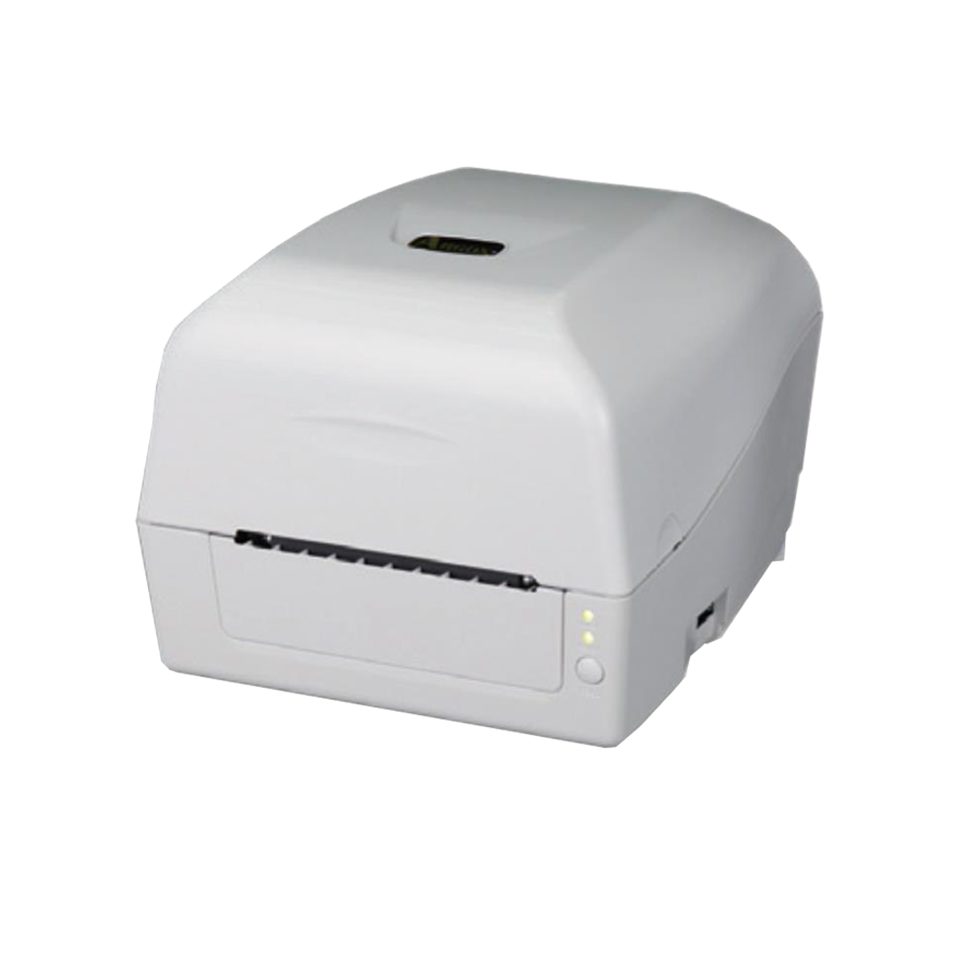
Γιατί οι μικρές γραφικές χρειάζονται μια αφιερωμένη επιτραπέζια ετικέτα με barcode
Σχεδιασμός εξοικονόμησης χώρου και ελαφρύς σχηματισμός για πολύφορτα χώρους εργασίας
Για μικρές γραφειακές εγκαταστάσεις όπου το διαθέσιμο χώρος είναι περιορισμένος, κάθε τετραγωνική ίντσα έχει μεγάλη σημασία. Οι εκτυπωτές barcode για επιτραπέζια χρήση, που σχεδιάστηκαν ειδικά γι’ αυτά τα περιβάλλοντα, καταλαμβάνουν πολύ λιγότερο χώρο σε σύγκριση με τους μεγαλύτερους βιομηχανικούς συναδέλφους τους — στην πραγματικότητα, περίπου 30% λιγότερο χώρο. Αυτοί οι μικροί εκτυπωτές χωρούν άνετα σε ήδη φορτωμένα γραφεία ή μπορούν να τοποθετηθούν διακριτικά σε ράφια, χωρίς να προκαλούν ιδιαίτερα προβλήματα. Με βάρος κάτω των 10 λιβρών (περίπου 4,5 κιλών), η μετακίνησή τους δεν αποτελεί δυσκολία όταν οι εργασιακές διαδικασίες αλλάζουν με την πάροδο του χρόνου. Δεν χρειάζεται πλέον να χρησιμοποιούνται βαριά καρότσια ή να διατηρούνται ειδικές ζώνες αποκλειστικά για εκτύπωση. Το γεγονός ότι αυτοί οι συμπαγείς εκτυπωτές εξοικονομούν τόσο πολύ χώρο συμβάλλει σημαντικά σε επιχειρήσεις που εξακολουθούν να αναπτύσσονται, αλλά δεν διαθέτουν το πολυτέλεια ενός επιπλέον χώρου — ιδιαίτερα σε εταιρείες που επαναδιατάσσουν συχνά τις διαρρυθμίσεις των χώρων εργασίας τους, καθώς αλλάζουν οι ανάγκες τους.
Αξιοπιστία σε συνδυασμό με Απλότητα: Διαθεσιμότητα και Ευκολία Χρήσης για Μη Τεχνικό Προσωπικό
Οι περισσότεροι επιτραπέζιοι ετικετοποιητές μπαρκώδων λειτουργούν με ποσοστό διαθεσιμότητας περίπου 99,5 % και απαιτούν ελάχιστη συντήρηση — κάτι που έχει μεγάλη σημασία για μικρές επιχειρήσεις ή γραφεία χωρίς δικό τους τμήμα ΤΠ. Αυτές οι συσκευές παραδίδονται έτοιμες προς χρήση αμέσως μετά την ανοιγματος της συσκευασίας, διαθέτουν εύκολες στη χρήση οθόνες αφής και περιλαμβάνουν έξυπνες λειτουργίες, όπως η αυτόματη ρύθμιση των ετικετών, με αποτέλεσμα το προσωπικό να μην χρειάζεται ώρες για να μάθει τον τρόπο λειτουργίας τους, αλλά μόνο περίπου 15 λεπτά το πολύ. Η θερμική τεχνολογία σημαίνει ότι δεν υπάρχει καθόλου ανάγκη χειρισμού κασετών μελανιού, ενώ όταν προκύψουν προβλήματα, η αντικατάσταση της κεφαλής εκτύπωσης από τον ίδιο τον χρήστη εξοικονομεί περίπου 40 % σε σύγκριση με τα δαπανηρά τιμολόγια επισκευής που θα επιβάλλονταν από εξωτερικούς τεχνικούς.
Οικονομικά Επιτραπέζιοι Εκτυπωτές Μπαρκώδων Υπό τα 700 $
Συνολικό Κόστος Κατοχής: Λαμβάνοντας υπόψη τις ταινίες, τις ετικέτες και την ελάχιστη συντήρηση
Η εξέταση του συνολικού κόστους κατοχής (TCO) έχει πολύ μεγαλύτερη λογική από το να επικεντρωθούμε απλώς στην τιμή που αναγράφεται στο κουτί κατά την αγορά ενός επιτραπέζιου εκτυπωτή υπό τα 700 δολάρια ΗΠΑ. Το πραγματικό κόστος προκύπτει από στοιχεία όπως οι θερμικές ταινίες ή οι ειδικές ετικέτες, καθώς και όλα τα έξοδα συντήρησης που συσσωρεύονται με τον καιρό. Ορισμένοι μπορεί να εκπλαγούν μαθαίνοντας ότι αυτά τα επιπλέον έξοδα μπορούν να τριπλασιάσουν την αρχική τιμή μέσα σε μόλις τρία χρόνια. Οι εκτυπωτές άμεσης θερμότητας εξοικονομούν πλήρως το κόστος των ταινιών, αλλά απαιτούν ειδικό θερμοευαίσθητο χαρτί. Αντιθέτως, οι εκτυπωτές θερμικής μεταφοράς κοστίζουν περίπου 3 έως 5 σεντ επιπλέον ανά ετικέτα για τις ταινίες, αλλά διαρκούν πολύ περισσότερο σε απαιτητικές συνθήκες. Η επαναγέμιση των δοχείων μελανιού αντί της αγοράς κασετών μειώνει τα έξοδα μελανιού κατά περίπου το ήμισυ. Για γραφεία που εκτυπώνουν λιγότερες από 500 ετικέτες εβδομαδιαίως, οι περισσότεροι αξιόπιστοι επιτραπέζιοι εκτυπωτές λειτουργούν ομαλά με ελάχιστες περιόδους αδράνειας μεταξύ των ελέγχων συντήρησης. Οι εκτυπωτές που σχεδιάστηκαν για εξοικονόμηση ενέργειας με αυτόματη λειτουργία αναμονής μειώνουν τους λογαριασμούς ηλεκτρικού ρεύματος κατά περίπου 25%, σύμφωνα με την τελευταία έκθεση του TechRadar από τις αρχές αυτού του έτους. Η επιλογή μηχανημάτων που είναι συμβατά με τυποποιημένα μεγέθη ετικετών και δέχονται ταινίες διαφόρων εμπορικών σημάτων εμποδίζει τις επιχειρήσεις να βρεθούν σε θέση να πληρώνουν υπερβολικές τιμές στο μέλλον, διασφαλίζοντας ότι τα 700 δολάρια που δαπανώνται σήμερα δεν θα μετατραπούν σε εκατοντάδες δολάρια περισσότερα στο μέλλον.
Προσαρμογή του όγκου εκτύπωσης στις ανάγκες μικρού γραφείου: Μέχρι 500 ετικέτες εβδομαδιαίως
Εξήγηση των τεχνολογιών επιτραπέζιων εκτυπωτών θερμικής και θερμικής μεταφοράς
Όταν τα μικρά γραφεία χρειάζονται να εκτυπώνουν περίπου 500 ετικέτες εβδομαδιαίως, η επιλογή του κατάλληλου εκτυπωτή εξαρτάται πραγματικά από τον τρόπο χρήσης αυτών των ετικετών, όχι απλώς από τον αριθμό που απαιτείται. Οι θερμικοί ευθείας εκτυπωτές λειτουργούν με ειδικό θερμοευαίσθητο χαρτί, γεγονός που τους καθιστά ιδανικούς για προσωρινές εφαρμογές, όπως ετικέτες αποστολής ή λίστες συσκευασίας, όπου η εξοικονόμηση κόστους και η απλότητα είναι σημαντικές. Αντιθέτως, οι εκτυπωτές θερμικής μεταφοράς βασίζονται σε ταινίες με μελάνη για την απευθείας εκτύπωση εικόνων σε πιο ανθεκτικά υλικά. Οι ετικέτες που παράγουν διαθέτουν αντοχή σε υψηλές θερμοκρασίες, χημικά προϊόντα και φθορά. Αυτού του είδους η ανθεκτικότητα είναι ιδιαίτερα σημαντική για εφαρμογές όπως η παρακολούθηση περιουσιακών στοιχείων, η σωστή ταυτοποίηση προϊόντων ή η συμμόρφωση με ρυθμιστικές απαιτήσεις ετικέτας.
| Χαρακτηριστικό | Θερμικός ευθείας | Θερμική μεταφορά |
|---|---|---|
| Κόστος λειτουργίας | Χωρίς δαπάνες για ταινίες | Απαιτεί αντικατάσταση ταινίας |
| Δυνατότητα | διάρκεια ζωής 6–12 μηνών | ανθεκτικότητα πάνω από 5 χρόνια |
| Χρησιμοποιήστε περιπτώσεις | Λίστες συσκευασίας, αποδείξεις | Ετικέτες απογραφής, ετικέτες συμμόρφωσης |
Η θερμική άμεση εκτύπωση προσφέρει το χαμηλότερο λειτουργικό κόστος (0,01–0,03 USD ανά ετικέτα), ενώ η θερμική μεταφορά επιβάλλει μια μικρή επιβάρυνση (0,05–0,08 USD ανά ετικέτα) για διαρκή αναγνωσιμότητα των barcode και ανθεκτικότητα σε περιβαλλοντικές συνθήκες (Έκθεση Αποδοτικότητας Λογιστικής 2023). Επιλέξτε θερμική άμεση εκτύπωση για προσωρινές λογιστικές ανάγκες· επιλέξτε θερμική μεταφορά όταν η ακεραιότητα του barcode πρέπει να διατηρηθεί κατά τη διαχείριση, την αποθήκευση ή τη ρυθμιστική επιθεώρηση.
Απλή ρύθμιση και ενσωμάτωση: Εκτυπωτές επιτραπέζιας χρήσης με διεπαφή Plug-and-Play
Κυρίαρχη σύνδεση μέσω USB και υποστήριξη οδηγών για περιβάλλοντα μικρών επιχειρήσεων Windows/macOS
Οι επιτραπέζιοι ετικετοθέτες μπαρκώδικα σήμερα λειτουργούν πραγματικά καλά σε μικρές επιχειρήσεις, καθώς απαιτείται απλώς να συνδεθούν στην πρίζα. Οι περισσότερες μικρές γραφειακές εγκαταστάσεις χρησιμοποιούν ακόμη τις θύρες USB ως κύριο μέσο σύνδεσης συσκευών, οπότε όταν αυτοί οι εκτυπωτές συνδέονται με υπολογιστές Windows ή Mac, εμφανίζονται συνήθως αμέσως, χωρίς να απαιτείται επιπλέον υλικό ή περίπλοκα βήματα ρύθμισης. Οι οδηγοί περιλαμβάνονται επίσης ενσωματωμένα, γεγονός που σημαίνει ότι ακόμη και άτομα χωρίς τεχνικές γνώσεις μπορούν να ξεκινήσουν την εκτύπωση ετικετών και άλλων στοιχείων σχεδόν αμέσως μόλις τους συνδέσουν. Αυτή η δυνατότητα «σύνδεσε και χρησιμοποίησε» μειώνει σημαντικά τις ανάγκες επαφής με την ομάδα ΤΠ, διατηρεί τη ροή εργασιών κατά τις απαιτητικές περιόδους και είναι λογική επιλογή για χώρους όπου κάθε τετραγωνικό πόδι έχει μεγάλη αξία και οι προϋπολογισμοί παραμένουν περιορισμένοι.
Συχνές Ερωτήσεις
Ποιο είναι το πλεονέκτημα της χρήσης ενός επιτραπέζιου ετικετοθέτη μπαρκώδικα σε μια μικρή γραφειακή εγκατάσταση;
Οι επιτραπέζιοι ετικετοθέτες με barcode είναι οικονομικοί ως προς τον χώρο και ελαφρείς, γεγονός που τους καθιστά ιδανικούς για μικρά γραφεία με περιορισμένο διαθέσιμο χώρο. Διασφαλίζουν ευκολία μετακίνησης και ενσωμάτωσης σε υφιστάμενους χώρους εργασίας, χωρίς να απαιτείται αφιερωμένη περιοχή εκτύπωσης.
Πώς επωφελείται η τεχνολογία θερμικής εκτύπωσης τις μικρές επιχειρήσεις στους επιτραπέζιους ετικετοθέτες με barcode;
Η θερμική τεχνολογία εξαλείφει την ανάγκη χρήσης μελανοθηκών, προσφέροντας μια εντελώς συντηρητική εμπειρία με υψηλή διαθεσιμότητα (uptime) και μειώνοντας το δυνητικό κόστος επισκευών, καθώς επιτρέπει στους χρήστες να αντικαθιστούν μόνοι τους εξαρτήματα όπως τα κεφάλια εκτύπωσης.
Είναι οι επιτραπέζιοι ετικετοθέτες με barcode οικονομικοί για χρήση σε μικρά γραφεία;
Ναι, αυτοί οι εκτυπωτές προσφέρουν χαμηλό συνολικό κόστος κατοχής, μειώνοντας τις δαπάνες που σχετίζονται με ταινίες, ετικέτες και κατανάλωση ενέργειας. Είναι οικονομικοί, ειδικά για γραφεία που εκτυπώνουν λιγότερες από 500 ετικέτες εβδομαδιαίως.
Πώς διαφέρουν οι θερμικοί ευθείας εκτύπωσης από τους θερμικούς εκτυπωτές με μεταφορά;
Οι θερμικοί απευθείας εκτυπωτές είναι κατάλληλοι για προσωρινές ανάγκες ετικετών με χρήση θερμοευαίσθητου χαρτιού, ενώ οι θερμικοί εκτυπωτές μεταφοράς χρησιμοποιούν ταινίες για ανθεκτική ετικέτα, χρήσιμη σε διαφορετικές συνθήκες.
Περιεχόμενα
- Γιατί οι μικρές γραφικές χρειάζονται μια αφιερωμένη επιτραπέζια ετικέτα με barcode
- Οικονομικά Επιτραπέζιοι Εκτυπωτές Μπαρκώδων Υπό τα 700 $
- Προσαρμογή του όγκου εκτύπωσης στις ανάγκες μικρού γραφείου: Μέχρι 500 ετικέτες εβδομαδιαίως
- Απλή ρύθμιση και ενσωμάτωση: Εκτυπωτές επιτραπέζιας χρήσης με διεπαφή Plug-and-Play
-
Συχνές Ερωτήσεις
- Ποιο είναι το πλεονέκτημα της χρήσης ενός επιτραπέζιου ετικετοθέτη μπαρκώδικα σε μια μικρή γραφειακή εγκατάσταση;
- Πώς επωφελείται η τεχνολογία θερμικής εκτύπωσης τις μικρές επιχειρήσεις στους επιτραπέζιους ετικετοθέτες με barcode;
- Είναι οι επιτραπέζιοι ετικετοθέτες με barcode οικονομικοί για χρήση σε μικρά γραφεία;
- Πώς διαφέρουν οι θερμικοί ευθείας εκτύπωσης από τους θερμικούς εκτυπωτές με μεταφορά;